

// One dashboard, 14 days
Your most important Tableau dashboard, rebuilt as a data app in 14 days.
Keep it looking exactly the way it does today. It loads faster, it gets search, and it runs on the data you already govern. One fixed price. Live in 14days or you don't pay.
I do these myself, so there is room for three to start.
// Before and after
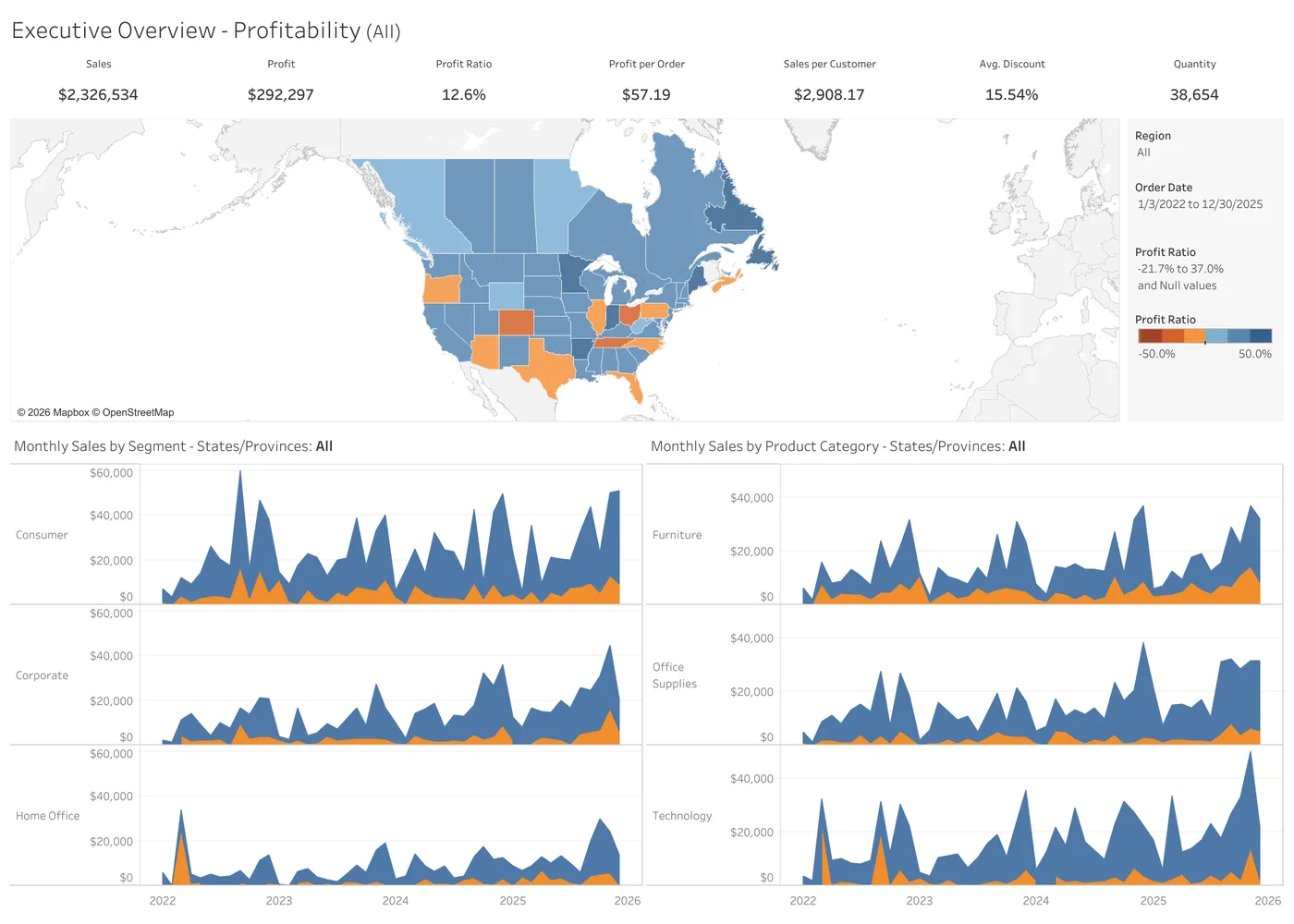
Tableau's Superstore Overview, rebuilt as a data app.
The same 10,194 order lines and the same seven numbers, to the cent. This is the kind of rebuild you get, on a dashboard you already know.
Original
Data App
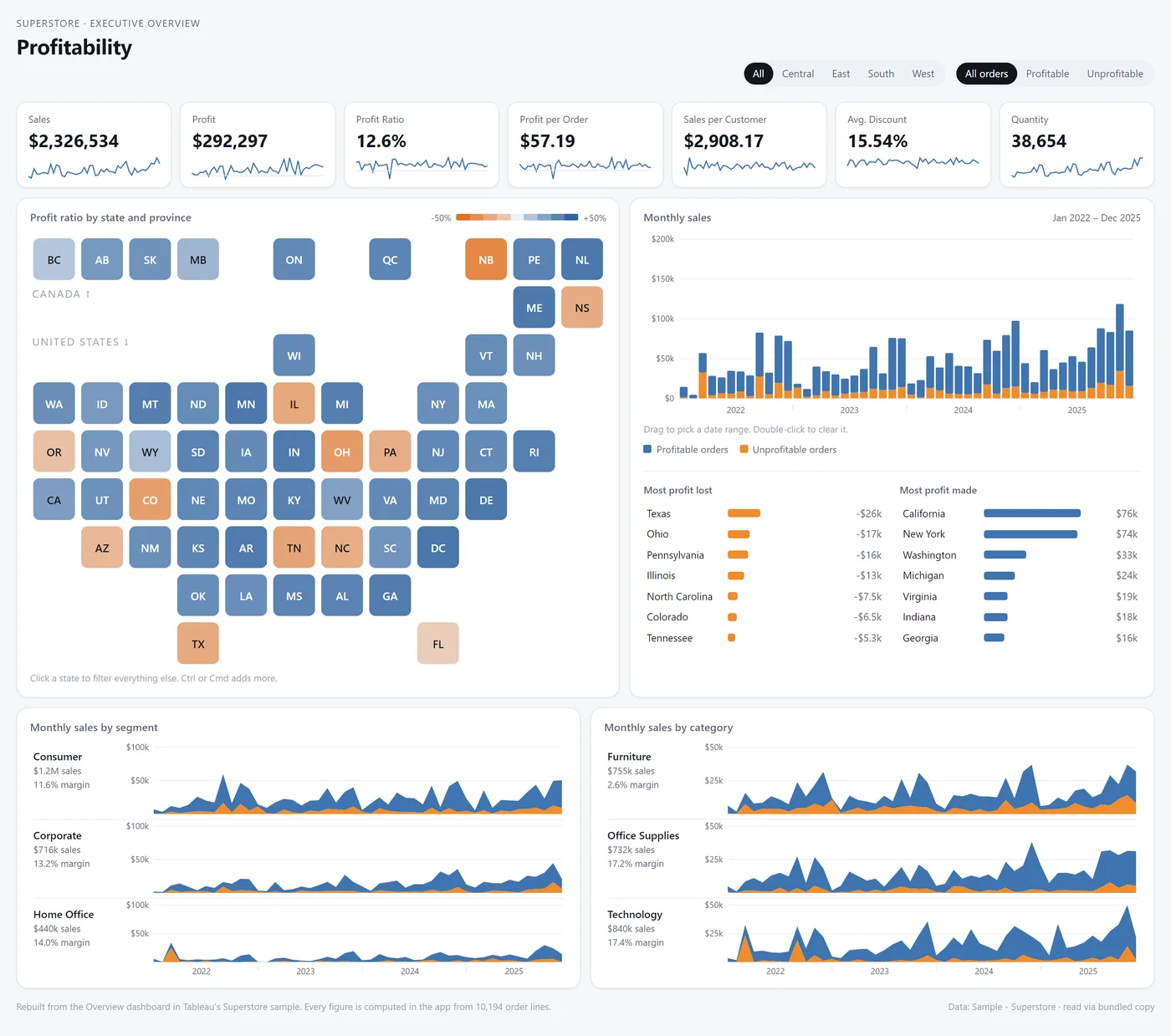
Open it and click around.
// What changes
Five things your dashboard can't do that a data app can.
Take all five, or only the speed and the search. A data app runs inside Tableau, packaged in the workbook, with nothing to host.
- 01
Search everything on the page
One box. Type a customer, a product or a state and the whole view answers.
- 02
Charts Tableau has no mark for
The design your team mocked up and then compromised on. If a browser can draw it, it can go on the dashboard.
- 03
A layout that fits the screen
It lays itself out for a phone, a laptop or the wall display, with no second version to keep up.
- 04
Big tables that answer right away
Thousands of rows drawn as a web table, with search and sort that do not make anyone wait.
- 05
A team can work on it together
It is code. Two people can change it the same week, review each other's changes and roll one back.
// What you get
One dashboard, finished and yours.
One fixed price, agreed on day 2, before any build work starts. No hourly billing and no second invoice.
The dashboard people already know
Same layout, same numbers, same filters, unless you ask for a change. Nobody has to relearn it.
The data app, live on your site
Published where people already look, on the same data source, filters and permissions as the dashboard it replaces.
Omni-Search, built in
One search box across everything in the app. Included with every rebuild.
Every calculation carried over
Workbook X-Ray reads each calculated field, LOD, table calculation and parameter out of the workbook, so nothing is rebuilt from a screenshot.
Numbers checked against the original
The app and the native dashboard are compared figure by figure before anyone else sees it.
The source, handed over
You own the code. Your team gets a walkthrough of how it is built and how to change it.
// How the 14 days go
You see it working in the first week.
- Days 1 to 2
Pick it and freeze the scope
You choose the dashboard. I read the workbook, list what has to move, and we agree what stays the same and what changes. The price is set here.
- Days 3 to 10
Build
You see a working version on your own data in the first week, and tell me what is wrong while it is cheap to change.
- Days 11 to 14
Check, publish, hand over
Figures matched to the original, the app published to your site, and the walkthrough with your team.
The guarantee
Live on your site in 14days, or you don't pay.
The clock starts when the scope is frozen. If the app is not published and matching the original by day 14, there is no invoice.
What has to be true
- A published data source the dashboard already runs on
- Tableau Cloud with Packages turned on, or an admin who can turn it on
- One person who can say yes to the scope and to the result
- Scope frozen at the end of day 2
// Before you ask
Most of your dashboards should stay exactly what they are.
This is for one dashboard
The one the executives or your customers open, where the workarounds have run out. Not the whole site.
A data app is code
Your Tableau developers can't open it in Desktop and drag a field. Your team can edit it with Claude, or I keep it up for you on a monthly plan.
Thinking about more than one?
The free migration review ranks which dashboards are worth moving and how hard each one is.
See the migration reviewRoom for three to start
Tell me which dashboard.
- What happens next
- I reply within one business day and we spend 30 minutes on the dashboard. If it is not a good fit for a data app, I will say so.
- What I need
- The workbook file for that one dashboard. I read its structure, not your data.