

17 viz & dashboard extensions for Tableau
Charts Tableau can't draw. Drag and drop, done.
Sankeys, chords, ridgelines, radials, waffles and KPI cards that sit on the Marks card like a native chart type. Pick one, drop your fields, it draws. Free in Tableau Desktop.
- Tableau Technology Partner
- 2x Tableau Ambassador
- Listed on the Tableau Exchange
- Desktop, Public, Cloud, Server
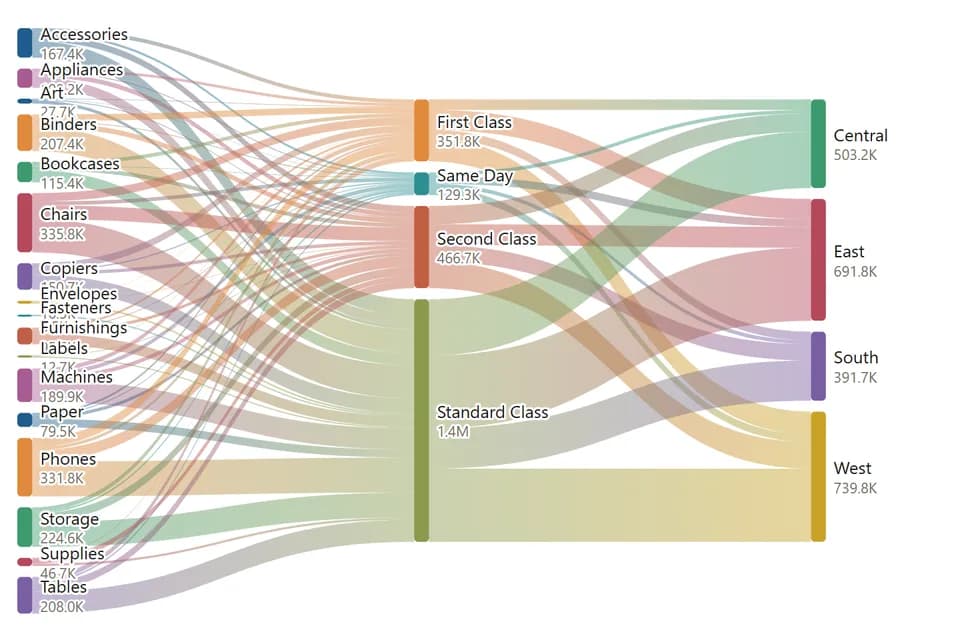
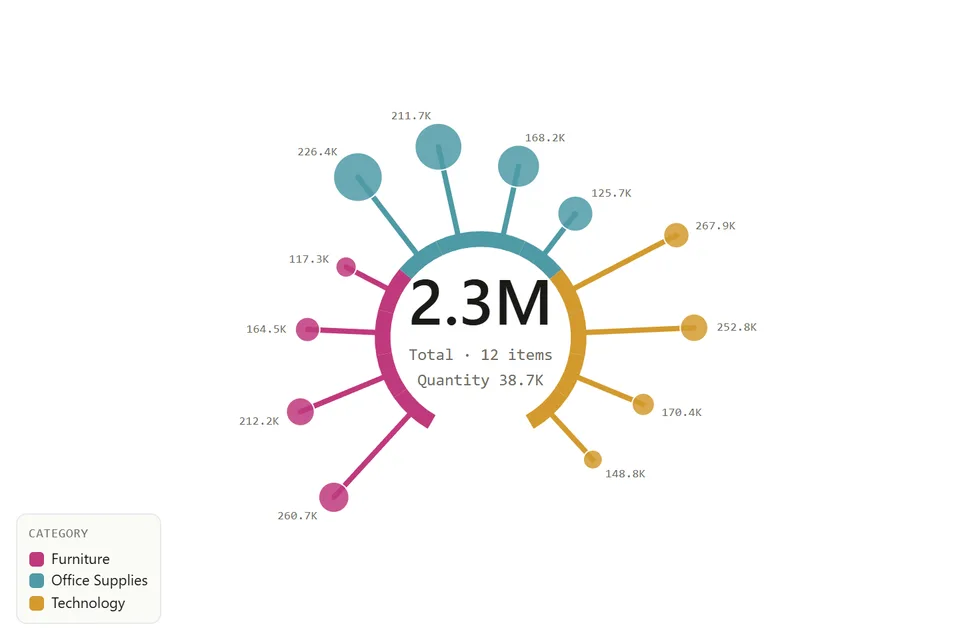
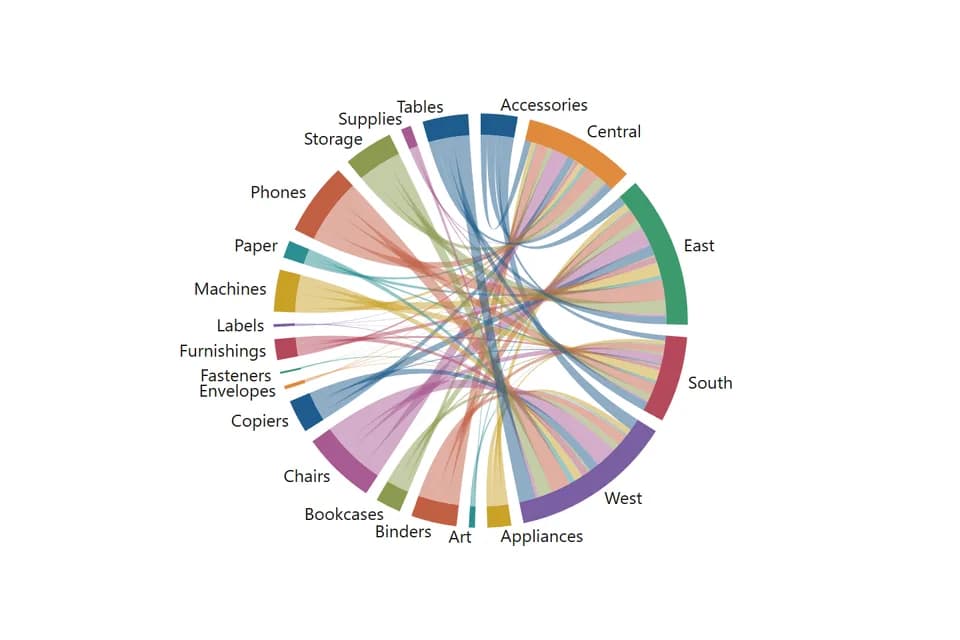
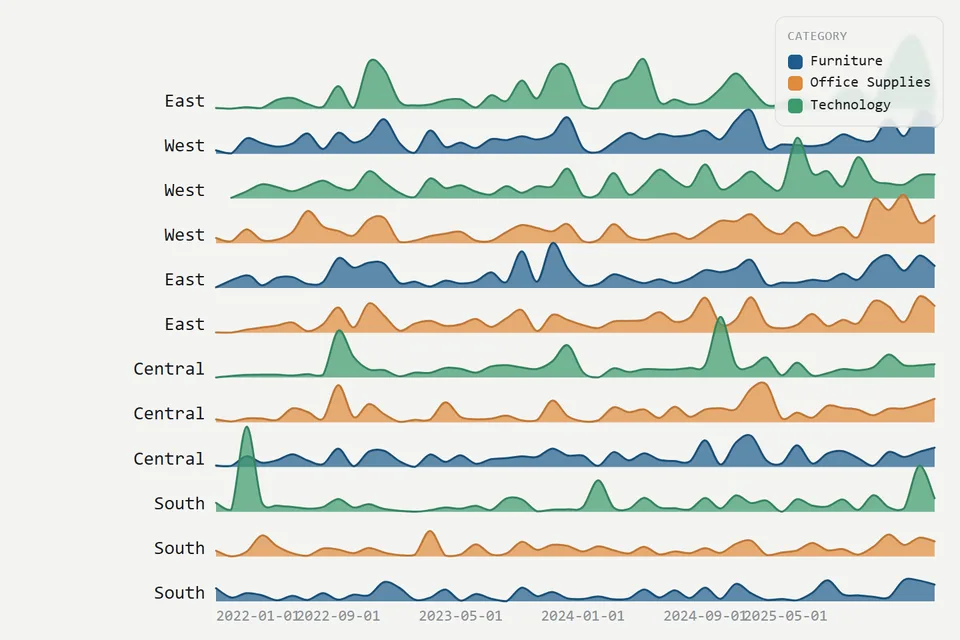
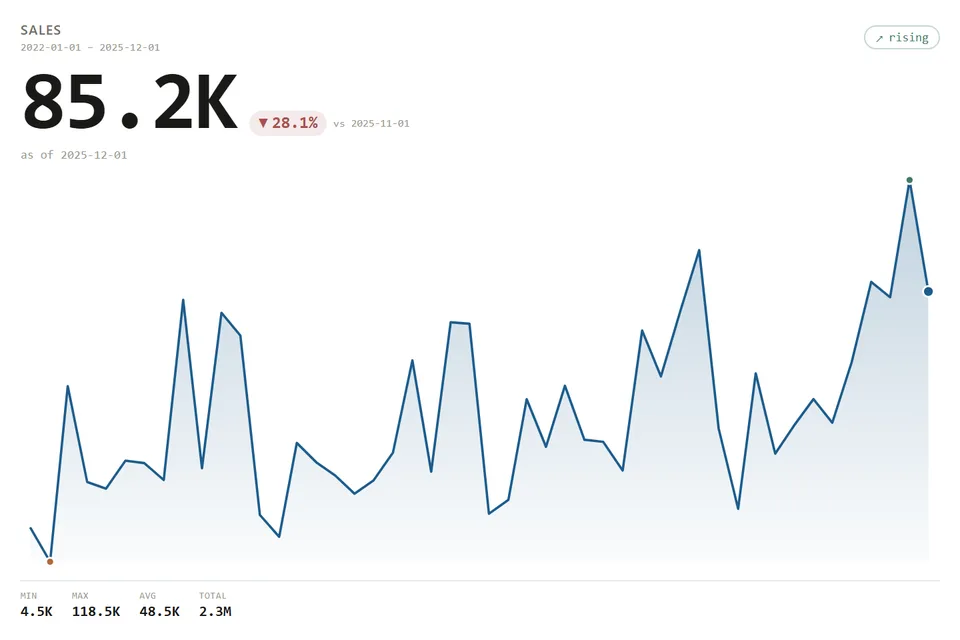
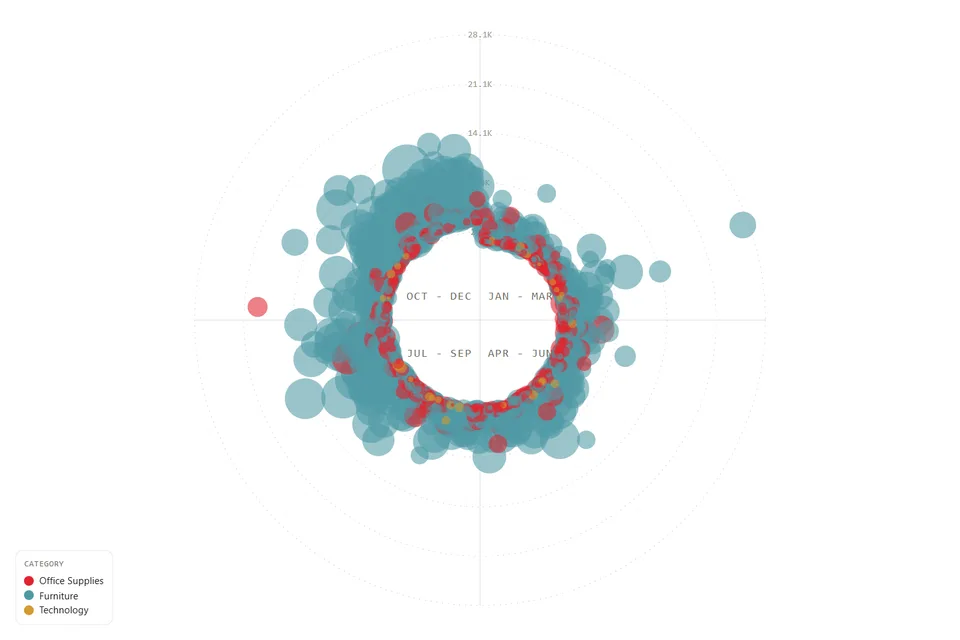
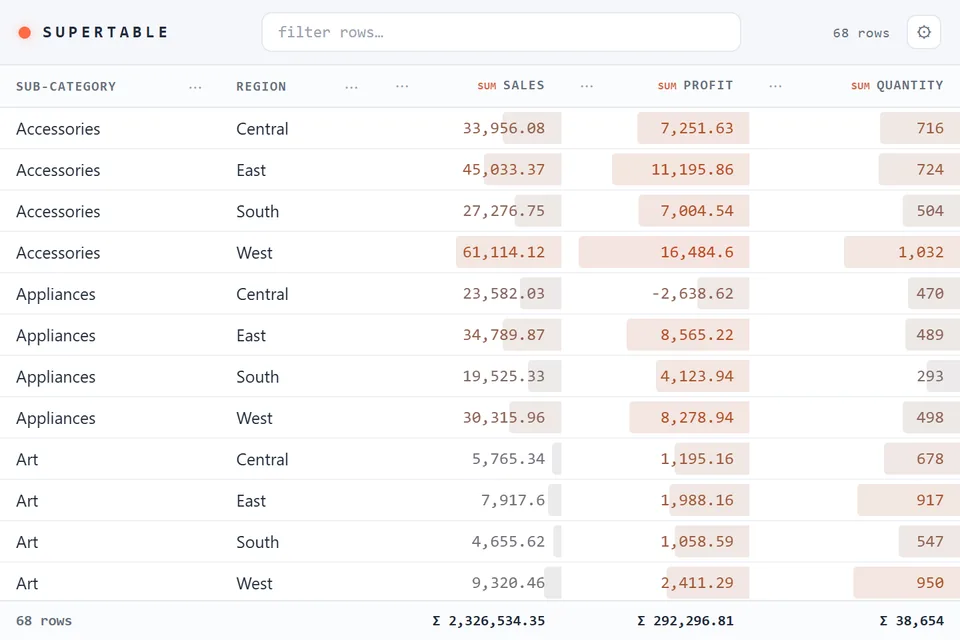
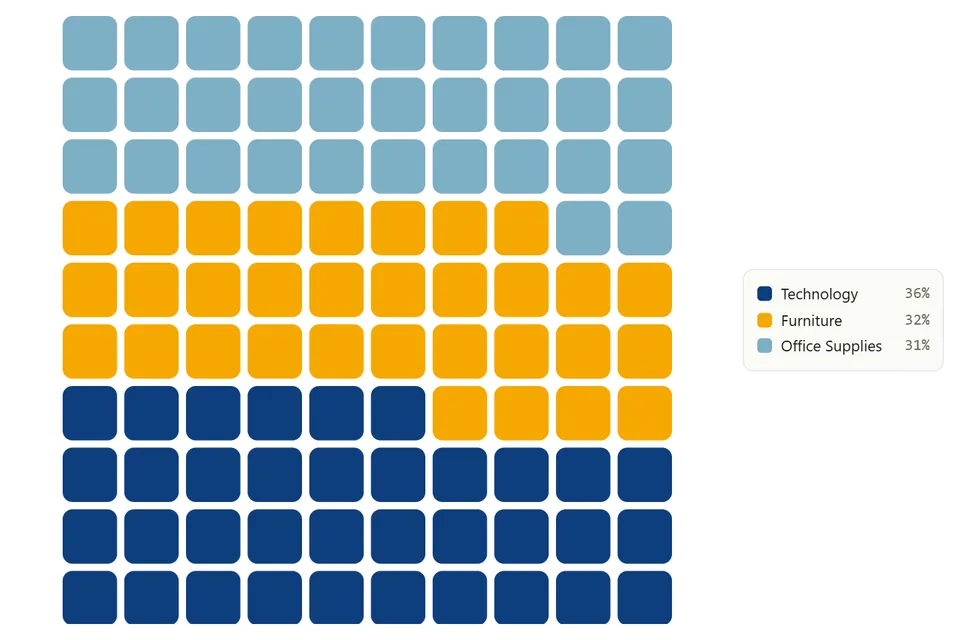
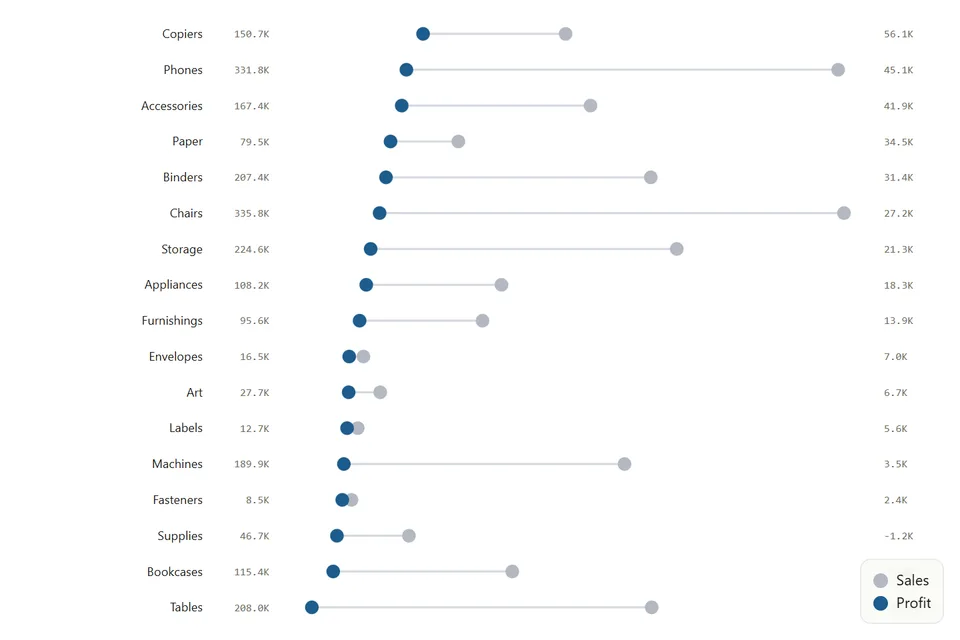
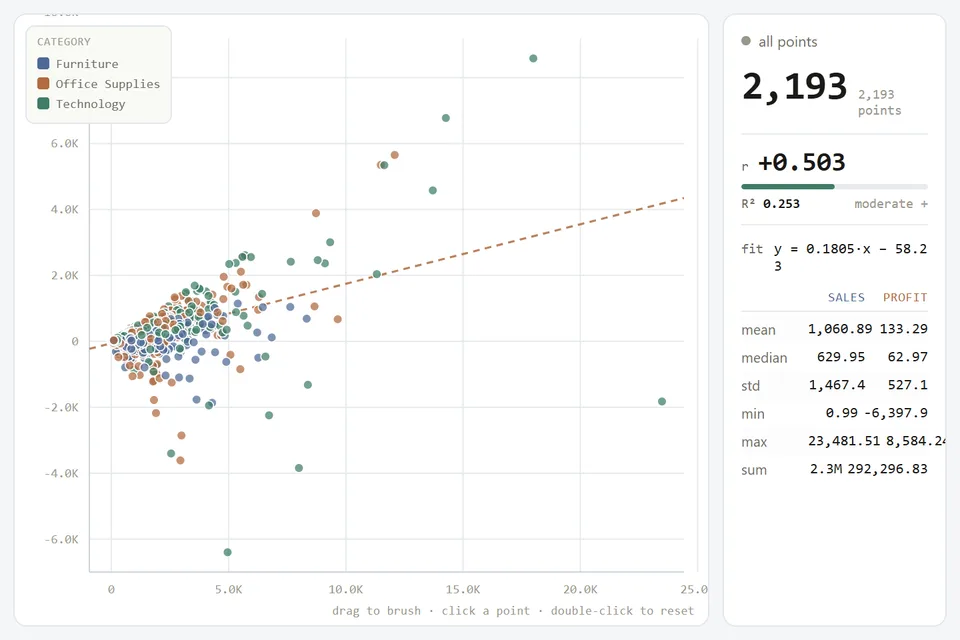
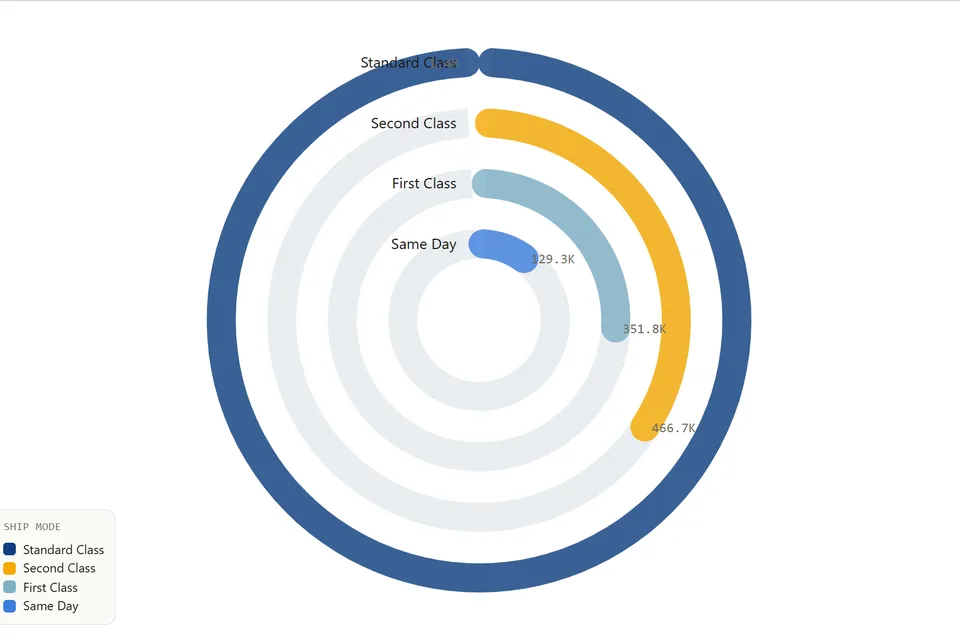
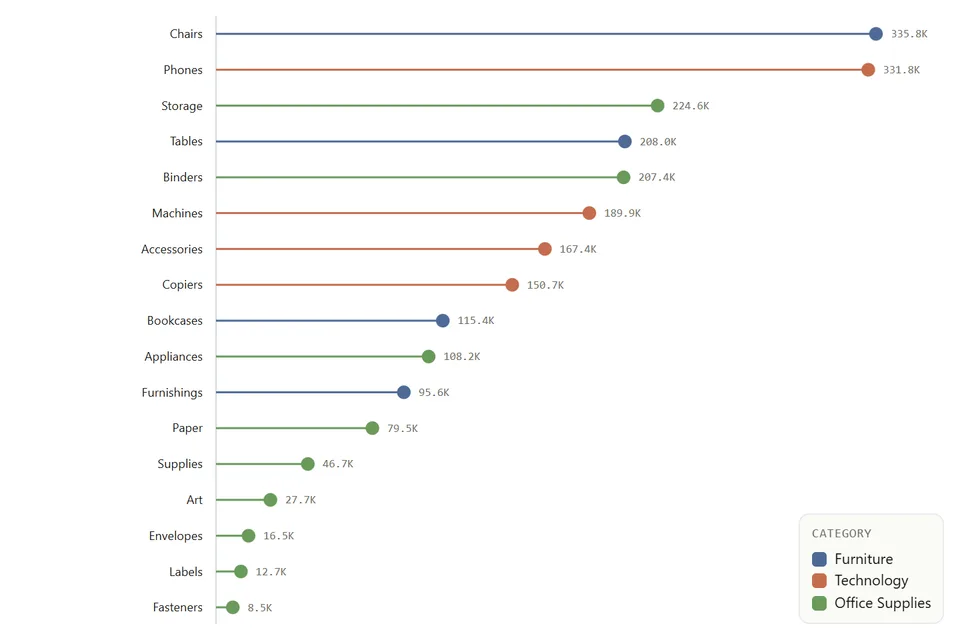
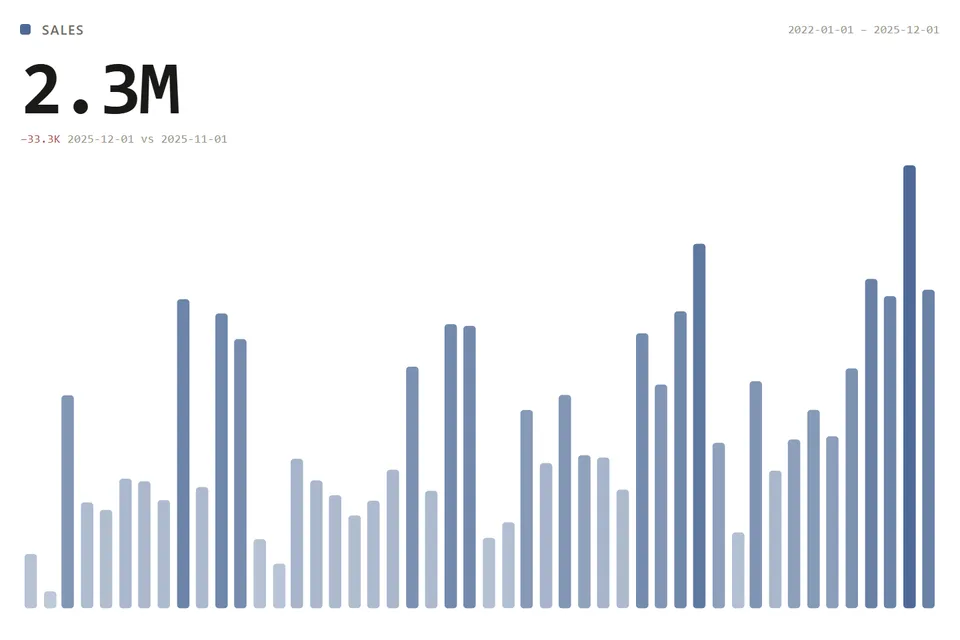
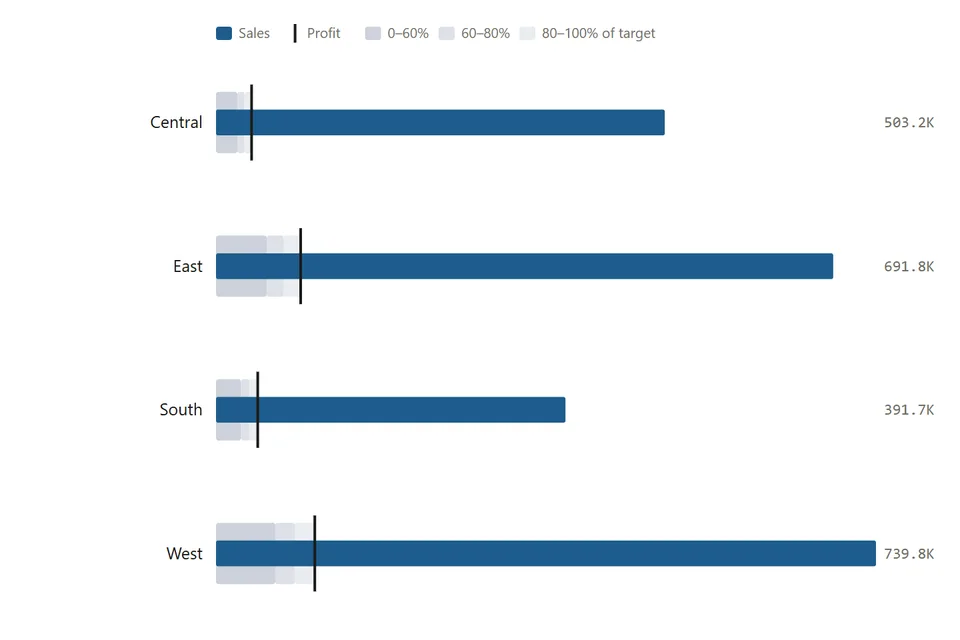
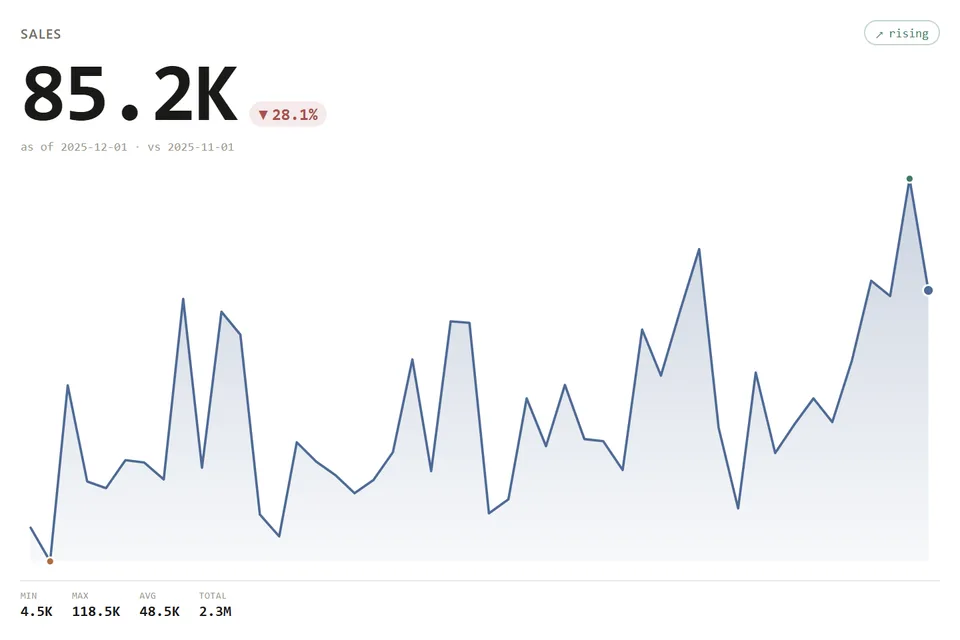
Every picture is the current build drawing Sample Superstore. None of it is a mockup.
// How it works
Four steps, no code, about a minute.
If you can build a bar chart, you can build a Sankey. These are screenshots of real Tableau Desktop, not a concept.
 1
1Pick it on the Marks card
Open the mark type dropdown, the one that says Bar. At the bottom, under Viz Extensions, choose Add Extension.
 2
2Say OK once
Tableau shows what it is and who made it. Viz extensions get no full data access, only the fields you drop on them.
 3
3Drop your fields
The Marks card grows the extension's own slots, like Item, Length and Color. Drag fields onto them the way you always do.
 4
4It draws
A real worksheet. Filters, tooltips and dashboards work like any sheet, and Format Extension styles it without code.
// Try it live
Don't take the screenshots' word for it.
This is the extension running right now, in a Tableau-style shell. Drag fields from the Data pane onto the Marks card and watch it redraw. Use Sample Superstore, or drop in your own CSV.
// The gallery
15 chart types. 2 dashboard tools. All live.
every one on a real dashboardClick any picture to open it live. Viz extensions go on a worksheet's Marks card as a new mark type; dashboard extensions are an object you drop on the dashboard.
Radial Spike
vizA radial burst for intensity and distribution
Ridgeline
vizA joy plot: one overlapping ridge per category over a shared axis, so every shape reads at once
Metric Card
vizA single metric with a delta chip, prior-period comparison, and a median-graded trend
Omni-Search
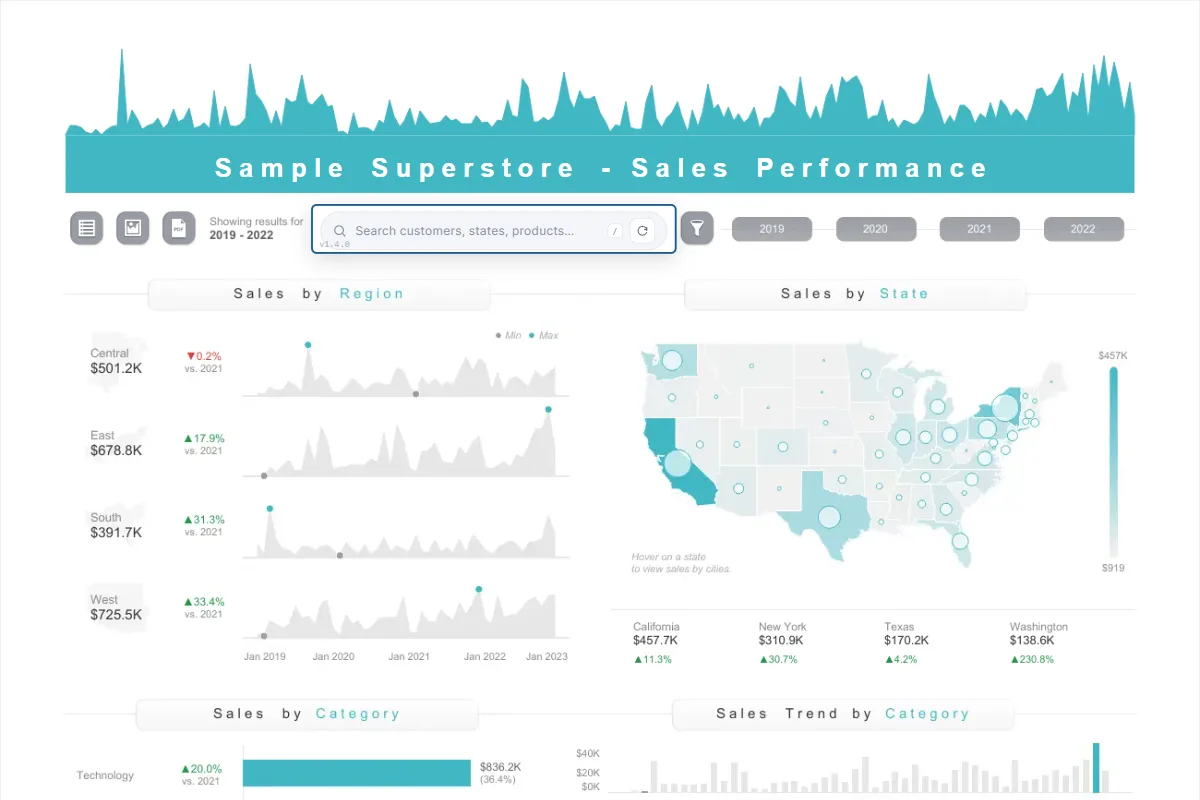
dashboardOne search box instead of a filter sidebar: any field, any value, every sheet
Attribution Card
dashboardA dashboard footer: your credit, your social links, and the original author when the viz is a remix
// Why these
Built to feel like Tableau, not like a plugin.
Native to the Marks card
Not a web page bolted onto a dashboard. A viz extension is a mark type, so it lives on a worksheet and behaves like one.
Styled in a Format window
Every extension ships with its own configure dialog: colors, labels, sorting, number formats. No code, no calc tricks.
Free in Tableau Desktop
Every feature on, no key, no trial clock. Build with it, publish to Tableau Public, decide later.
Cloud and Server, one license
An annual license covers Tableau Cloud and Server, priced by monthly users. One extension or All-Access to every one.
Try before you buy, for real
Every extension on this page runs live, on Sample Superstore or your own CSV. Break it before you spend a cent.
The catalog keeps growing
Built AI-accelerated by a Tableau Technology Partner, so new charts land in days. All-Access gets each one as it ships.
// The flagship dashboard extension
Omni-Search: one box instead of twenty filters.
Type any value. It finds the field it lives in and filters every sheet on the dashboard. Type a date field for one-click periods, or "fields" for a directory of everything you can filter on.
// Pricing
Free where you build. Licensed where you share.
Every extension, every feature, in Tableau Desktop and on Tableau Public. No key, no trial clock.
Pick oneOne extension from $199/yr, or All-Access to every extension, including each new one, from $399/yr. Priced by monthly users.
See every tier500+ users, on-prem Tableau Server, procurement and security review. Talk to the builder.
eric@tableauops.com// Questions
The things people ask first.
Do I need to write any code?
No. You pick the extension on the Marks card and drag fields onto it, exactly like a bar chart. Styling happens in its Format window.
How do I install one?
Download the .trex file from the extension's page. In Tableau Desktop, open the Marks card dropdown, choose Add Extension, then Access Local Viz Extensions, and pick the file. Tableau asks once to allow it.
What does it cost?
Nothing in Tableau Desktop or on Tableau Public. On Tableau Cloud or Server you need an annual license, priced by monthly users. See the pricing below.
Can it see my data?
A viz extension only receives the fields you put on its Marks card, the same summary data the worksheet already shows. Tableau's allow dialog states it has no full data access.
Will it work on Tableau Cloud or Server?
Yes. Your site admin allows the extension's URL once in site settings, like any network extension, and it runs in every browser your users already use.
What if the chart I need is not here?
Ask. New extensions land often and requests shape the order. Email eric@tableauops.com with the chart, and you get an answer from the person who builds them.
Your next dashboard doesn't have to look like the last one.
Free in Tableau Desktop. Pick one, drop your fields, and see.