

// Build Log · Tableau Studio · Data Apps · Claude
Tableau Studio vs Data Apps: Same Prompt, One Shot
I gave Tableau Studio and a Tableau Data App the same one-shot prompt on the same Superstore data. Time, one-touch understanding and what came back, with screenshots of both final builds and the fine print.
NOV 23, 2026
Yesterday I said Tableau Studio and Tableau Data Apps answer different questions. Studio brings the agent to Tableau. Data Apps bring Tableau to your agent. So today I asked them the same question and watched what came back.
There are too many variables to really compare these two. This is a very limited test. Time is not the measure I'd base a choice on. It's just the easiest way to put them side by side.
The setup
One prompt, pasted word for word into both:
Build a sales performance view for a regional manager. Show sales and profit by region over time. Let me compare two regions side by side. Flag the products losing money.
That one ask has three jobs in it: a trend, a comparison and an exception.
The rules were simple:
- One shot. No follow-up prompts. If an agent asked a question, the only allowed answer was "Your call. Keep going."
- No hand edits. I scored what came back, exactly as it was.
- The clock stops when the agent stops.
- Same data. Sample Superstore on both sides.
Studio ran in Tableau Desktop 2026.3.1 with Tableau Agent. The Data App was built by Claude through the Tableau MCP and published to Tableau Cloud.
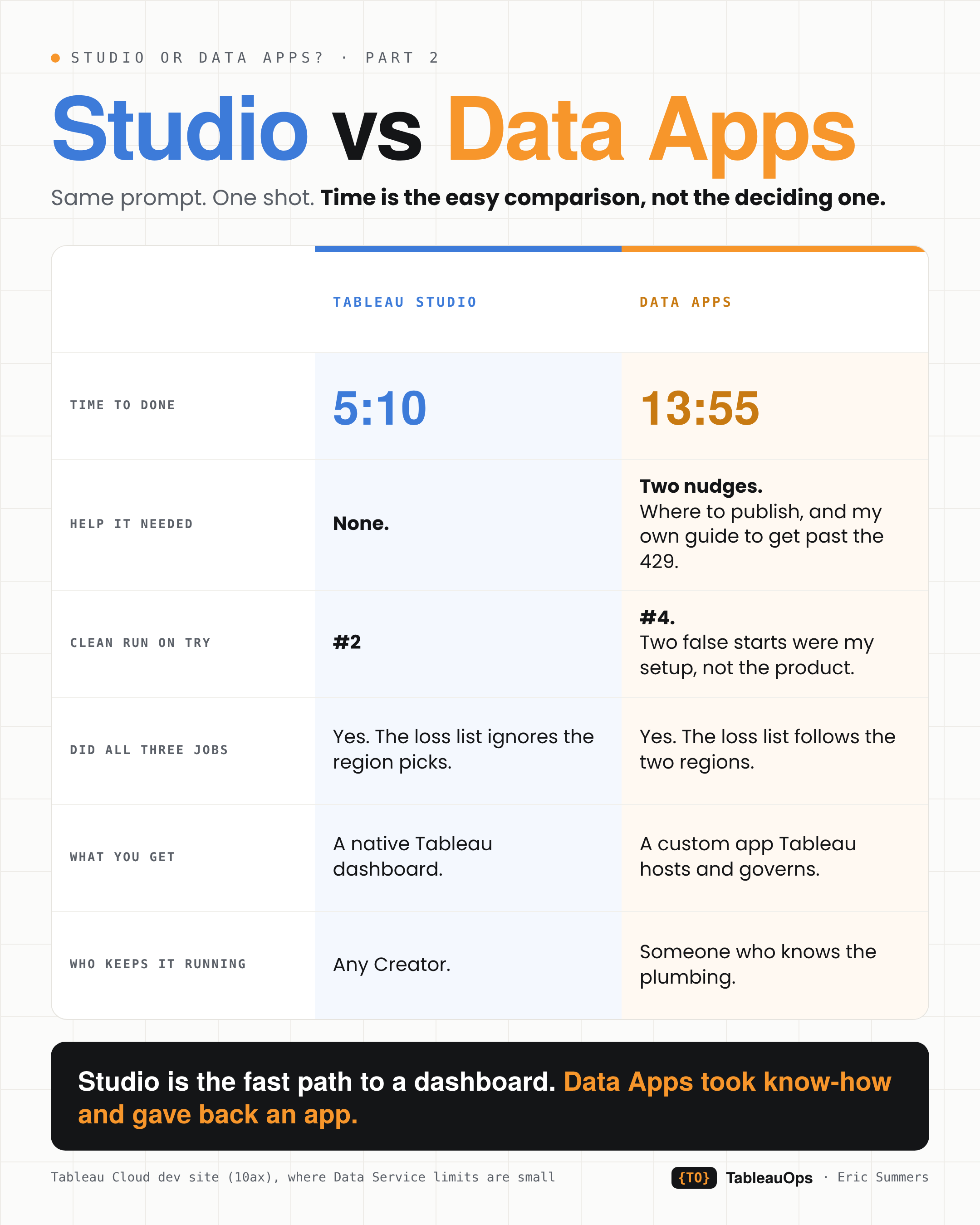
Time
- Studio: 5:10.
- Data Apps: 13:55.
The Data App time includes waiting on me, and a publish, a fix and a second publish. More on that below.
One-touch understanding
This is the measure I care about more. How much did each one get from a single prompt?
Studio needed nothing from me. It read the prompt, connected the pieces and built the dashboard.
Data Apps needed two nudges. It stopped to ask where to publish. Then the first publish didn't load, and I sent it my own guide, Build a Tableau Data App in 9 Steps (Without the 429). That guide exists because my sandbox site runs out of Data Service calls fast.
Two of my false starts were on me, not the product. On my first try, the agent built a Claude dashboard instead of a Tableau one, because my prompt didn't say "Tableau Data Apps." On another, my cloud sandbox blocked the host the data app template comes from. Neither one is a Data Apps problem, but both are real friction for someone trying this for the first time.
What came back
Studio
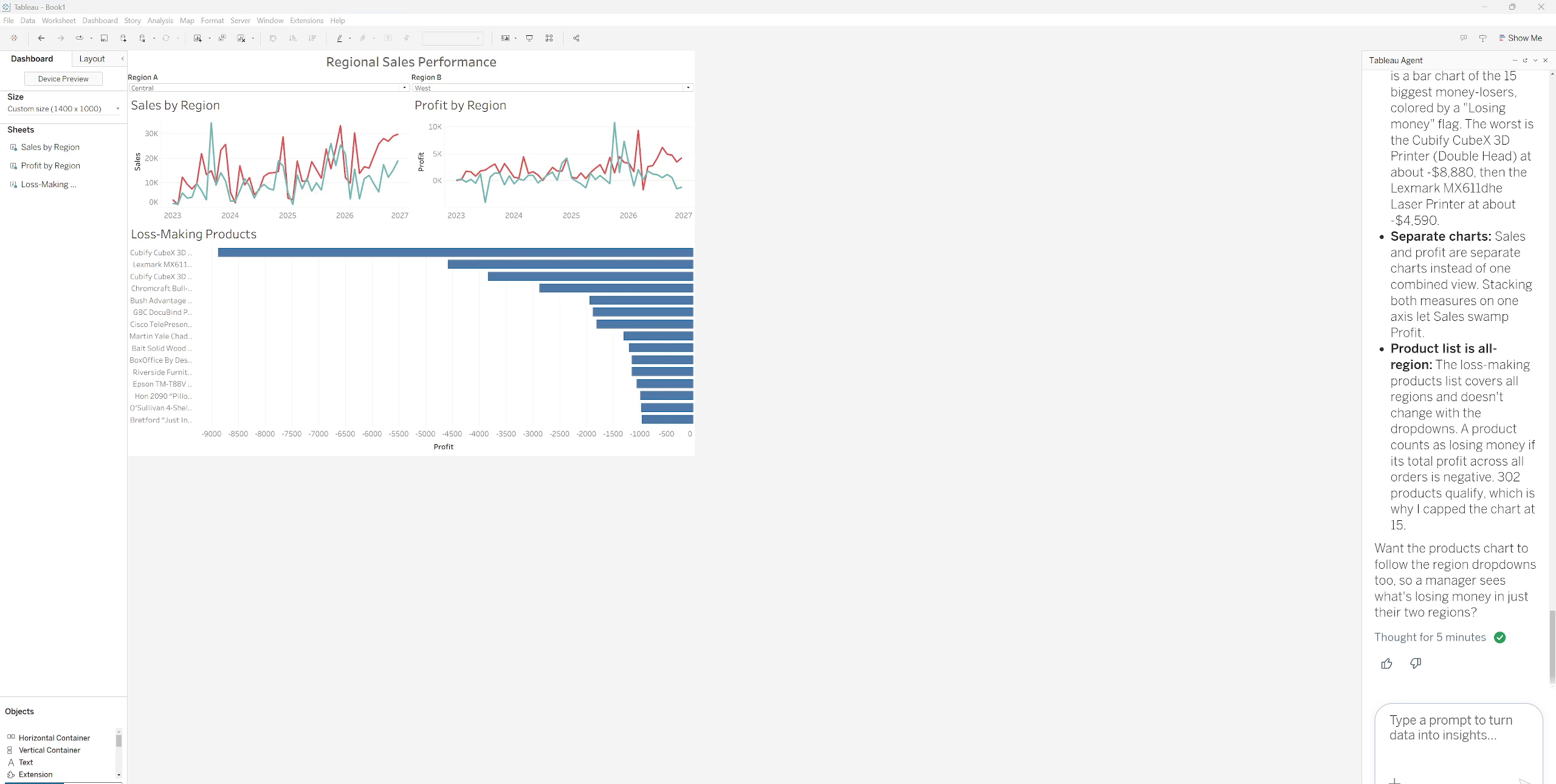
A native Tableau dashboard. Two region dropdowns drive the sales and profit trends. A bar chart shows the 15 biggest money-losers.
One gap: the loss list covers all regions and doesn't follow the dropdowns. Studio flagged that itself and offered to fix it. One-shot rules, so I didn't take it.
Data Apps
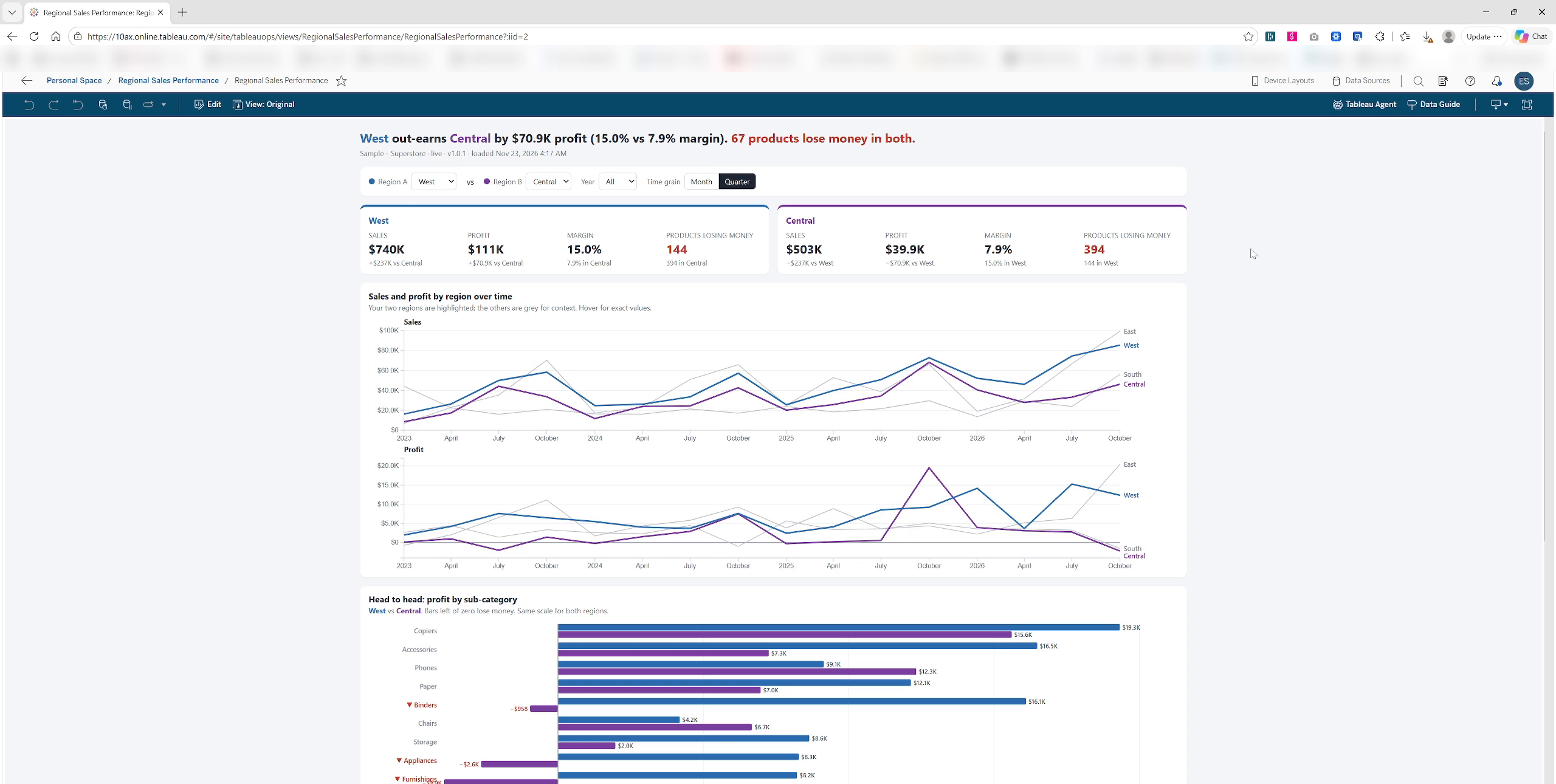
A custom app, hosted and governed by Tableau. It writes a headline from the data, puts the two regions in side-by-side cards and highlights them on the trend lines with the other regions in grey.
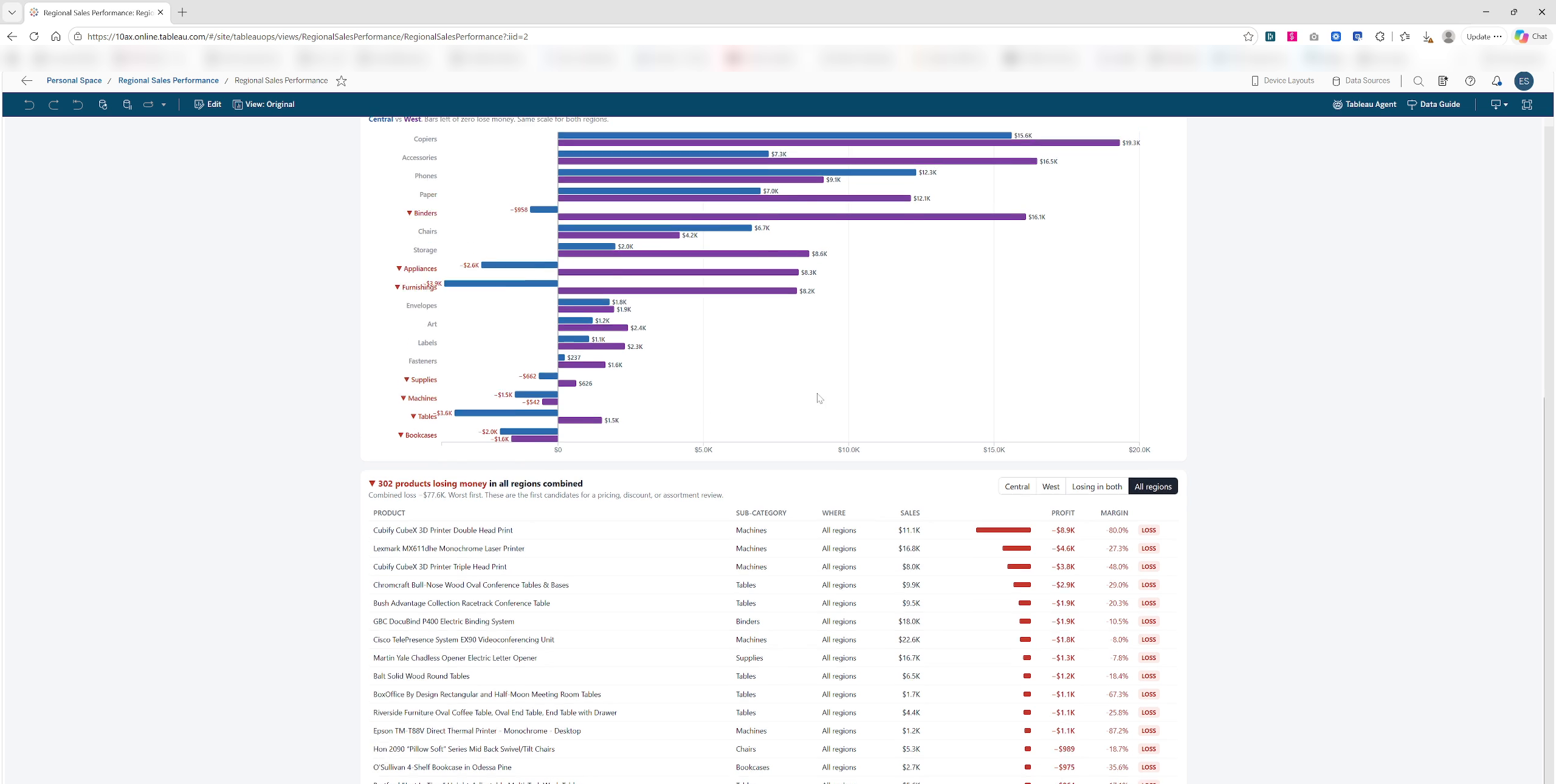
The loss list follows the two regions, with a filter for products losing money in both.
What I'd take from it
Studio is the fast path to a dashboard. Any Creator on the team can open it tomorrow and keep it running.
Data Apps took know-how and gave back an app. Someone has to own that code.
That's the same line I drew in Part 1. The question isn't which one is better. It's what the answer should look like.
The fine print
- One prompt, one dataset, one run each. A different prompt could flip every row.
- Data Apps are only as good as the agent you bring. Mine was Claude. Yours might do better or worse.
- This ran on a developer sandbox (10ax), where Data Service limits are small. A production site may never see the 429 that cost me time.
- Studio is brand new. It started rolling out on November 17, 2026. Both of these will look different in a month.
Eric Summers, Tableau Ambassador & founder of TableauOps